Cut smarter,
save material
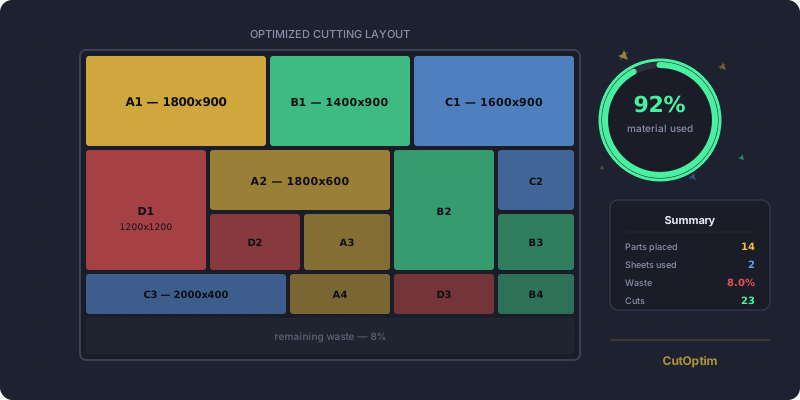
Professional 1D and 2D cutting optimization software that runs in your browser. Wood, glass, metal, plastic – any material.
No monthly subscription – optimize with a one-time purchaseHow much will you actually save?
Drag the sliders — watch the savings in real time
Everything in one place
What competitors sell in separate tools — it’s all included here
Optimization
2D Panel optimisation
Guillotine algorithm with rotation, grain direction, and multiple stock sizes.
1D Linear optimisation
Bars, profiles, tubes, strips. First-Fit Decreasing with automatic off-cut recycling.
Which sheet size to buy
Enter a few standard sheet sizes and see which one your cut list needs the least material from — sheets, square metres and cost side by side, each size calculated on its own.
Material-specific mode
Tag each stock and part with its material; the optimizer cuts each material only from stock of the same material, in one run across 2D, 1D and Wood.
Material cost & optimization
Enter price per sheet. Switch between waste minimization and cost minimization mode. See exact material spend per job.
Metric & imperial units
Work in millimetres, centimetres or inches — flip one toggle and every entered dimension converts. Signed in (any plan), your unit preference is saved to your profile and follows you across devices; a saved cut (Pro) keeps its own unit.
Production & shop floor
Panel label printing
Generate a printable label sheet for every cut part — name, dimensions, material, edge banding, and order info. Stick on parts in the workshop.
Edge banding calculator
Assign edge banding material to each edge of every part. Automatically calculates total edge banding length per material — shown in results and PDF.
Production progress tracking
Mark layouts as in-progress (yellow) or completed (green) directly in the cutting plan. Status persists across sessions — perfect for shop floor use.
Cutting sequence visualisation
Step-by-step animated cutting sequence in the SVG layout. Navigate forward/back or play automatically — ideal for following on a panel saw.
Calibration cut
Take a set width off one edge before the first part, so a damaged or out-of-square board edge becomes a straight reference. Pick the width and the side — the sawing plan opens with that cut.
Cut length, cut count & edge trim
Every panel run reports the sawn length and the number of cuts — cut lines first, saw passes underneath. Trim is set separately for all four edges. On every plan, including without an account.
Exports & quotes
PDF + CSV export
Printable cutting plan as PDF. CSV for production lines (UTF-8 BOM, Excel-ready).
DXF + SVG export
Open the cutting plan in AutoCAD, Inkscape or any CNC software. R12 DXF for maximum CAD compatibility.
Quotation export
Generate a professional PDF quotation with your company logo, customer info, itemised material costs, edge banding, cutting charges, and VAT.
Materials & inventory
Off-cut inventory
Save leftover off-cuts to your inventory, then add them back as stock for future jobs. Set a minimum size threshold to skip tiny scraps.
Material library
Save frequently used materials to your library and load them with one click.
CSV import
Import existing cut lists from Excel/CSV.
Sharing & branding
Share a plan by link
Send a saved cutting plan to a customer or supplier as a read-only page. No attachment, no account at their end. Links expire after 90 days and you can revoke any of them instantly.
Company branding & custom fields
Your logo, company name, and tagline on every PDF export. Add up to 4 custom fields (customer, order number, notes) that appear on cutting plans and labels.
Short a board? Guarantee the cuts that matter.
Set your real stock as a hard cap, then flag the parts that must be cut. The optimizer puts your priorities in first — even if filler has to drop. Works in 2D, linear and wood.
Panel, bar and wood cutting runs on your device
CutOptim computes your 2D, 1D and wood cut plans entirely in your browser — nothing is uploaded just to optimize them. Nesting is the one mode solved on our servers. No tracking, no ads, no data harvesting.
Client-side for 2D, 1D & wood
Panel, bar and wood calculations happen locally in your browser — no parts or stock are sent to a server to optimize. Nesting and the Engine API are solved on our servers.
No tracking cookies
We use Umami — cookie-free, GDPR-compliant. No personal data collected.
You decide what to save
Cut lists stay in your browser while you work. If you save, share, or use a team workspace, that project data is stored encrypted on our EU servers.
GDPR & CCPA compliant
Full compliance with EU and California privacy regulations. Delete your account anytime.
Why CutOptim?
Compared to the best-known alternatives
★ = unique advantage on the market · ? = not stated by the vendor, we could not verify it · Competitor tiers compared: optiCutter Professional, CutPlan.ai Pro. Public pricing and feature pages, checked 27 July 2026. CutOptim is our product.
We publish the measurement, not a yield promise
Anyone can quote a yield percentage. We compute, for every test job, the theoretical minimum number of sheets any plan could use — then show how far ours is from it. Published academic instances, every job listed, the raw data downloadable.
Three steps to your cutting plan
Enter stock material
Enter the dimensions and quantity of your stock sheets or bars.
Add required parts
List the pieces you need to cut, manually or by CSV import.
Optimize & export
One click and your cutting plan is ready as PDF and SVG visualization.
Simple, transparent pricing
Try it free. Only pay when you really need more.
- ✓Optimizations: 3 / month
- ✓Parts per run (2D, 1D, wood): Unlimited
- ✓Panel (2D), linear (1D) and wood modes
- ✓PDF + CSV export
- ✓Excel (XLSX) export
- ✓DXF / SVG export
- ✓Company logo & details on PDF and Excel
- ✓Offcut inventory
- ✓Edge banding calculator
- ✓Cost mode, price columns & area pricing
- —Save projects & cuts (cloud sync)
- —Share plans by link
- —No “CutOptim” footer line on PDFs
Without an account you get 2 runs, PDF + CSV export and every rectangular cutting mode (2D, 1D, wood). The other tools need a free account.
- Everything in Free, plus:
- ✓Optimizations: Unlimited
- ✓True-shape nesting: 10 / month
- ✓Save projects & cuts (cloud sync)
- ✓Share plans by link
- ✓Support: Priority
- ✓No “CutOptim” footer line on PDFs
- ✓Grain-matched sets: 10 / month
- —Quotation PDF export
- —Max. cutting stages
- —Minimise rotation
- —Team members
- —Shared project workspace
- Everything in Pro, plus:
- ✓True-shape nesting: Unlimited
- ✓Quotation PDF export
- ✓Grain-matched sets: Unlimited
- ✓Max. cutting stages
- ✓Minimise rotation
- ✓Team members: 3
- ✓Shared project workspace
No subscription? Buy optimizations when you need them.
Call the cutting engine from your own software
The same engine the app runs on, over HTTP — from your ERP, your quoting tool or a machine’s own software.
- Send parts and stock as JSON — get the full layout, the guillotine cut plan and the yield metrics back
- Deterministic: the same input returns the same plan, so responses are cacheable and testable (the time-limited nesting max search is the one exception)
- All four modes in one API: 2D panels, 1D linear, timber with cross-section matching, and true-shape nesting
- Official SDKs for TypeScript, Python and PHP, and an MCP server so Claude, Cursor or any MCP client can plan cuts from a chat
Studio 3,000 · Scale 10,000 requests / month — hard cap, no overage · 14-day trial on Studio · free test keys · billed in EUR
CutOptim Configurator
For cut-to-size shops: the configurator for your webshop
CutOptim Configurator lets your customers enter their parts on your own website, see the cutting plan and your price as they type, and order. The same optimizer as this app, under your brand.
Choose a board
Your parts
| Part | Width | Height | Qty | Edges |
|---|---|---|---|---|
| Side | 720 | 560 | 6 | |
| Bottom | 764 | 560 | 3 | |
| Top | 764 | 560 | 3 | |
| Shelf | 762 | 520 | 3 | |
| Rail | 764 | 100 | 6 | |
| Plinth | 764 | 120 | 6 | |
| Door | 397 | 716 | 6 | |
| Drawer front | 796 | 176 | 3 |
Cutting plan, live 36/36 parts placed · 2 sheets
Your order
- Parts
- 36
- Sheets
- 2 × 2,800 × 2,070
- Price
- from your price rules
Signed quote
Click a step — or watch it run
Free calculators
Online tools for cutting planning and material estimation.
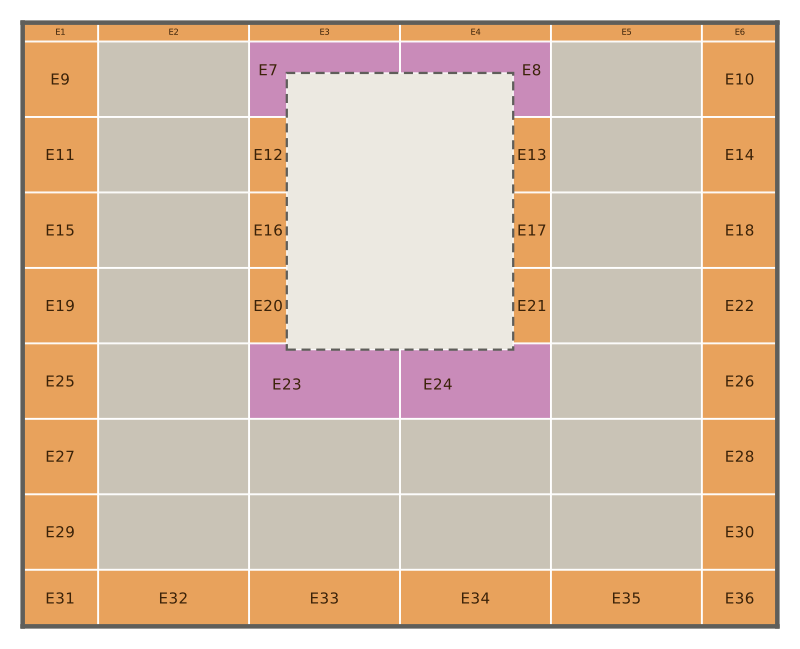
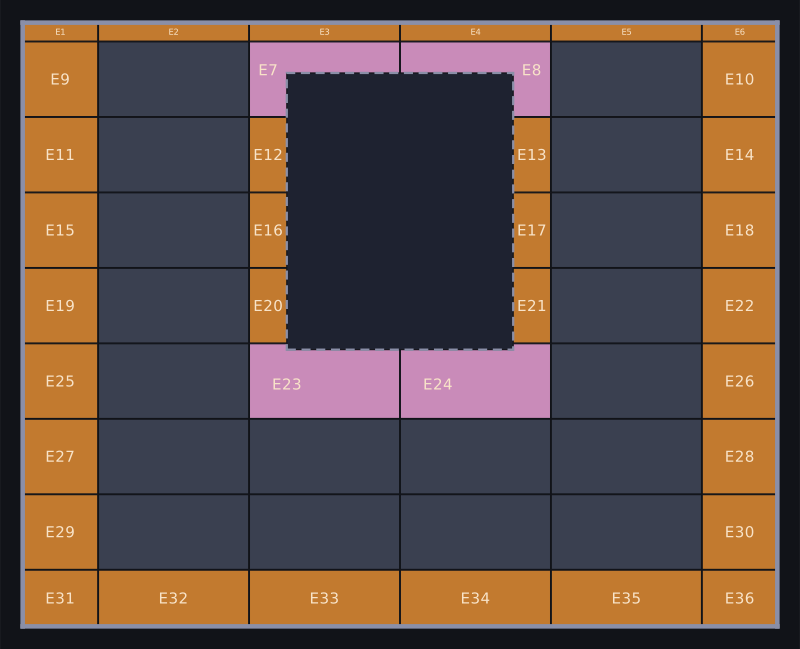
Tile Calculator — Layout, Cut Pieces & Boxes
Tile calculator for a floor or a wall: lays your tile in its pattern, numbers every cut, shows where the first row starts and how many boxes to buy.
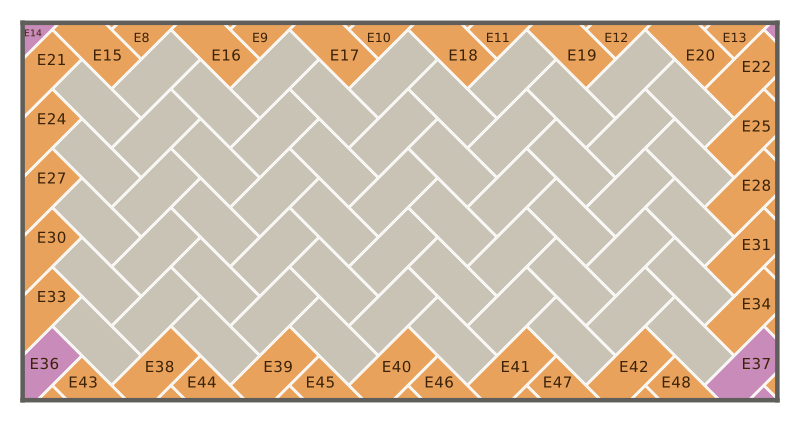
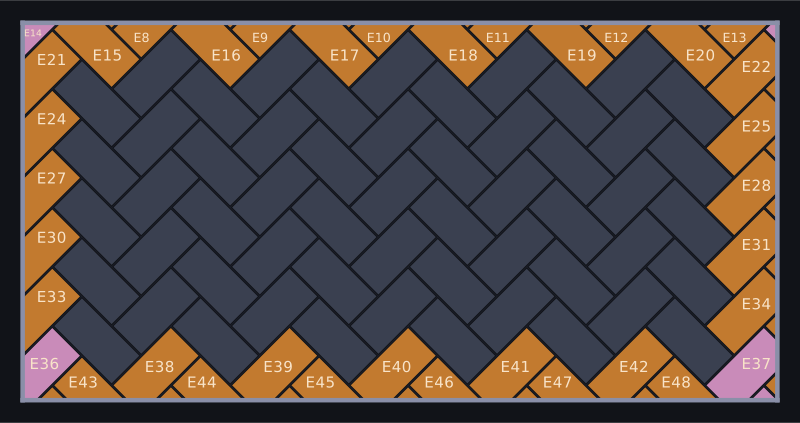
Paver Calculator — Layout, Cut Pieces & Order List
Draw your patio, pick a paver and a pattern: see the layout with every cut piece numbered, which paver each piece comes from, kerbs and the order list.
Rafter Length Calculator — Cut Angles & Lumber List
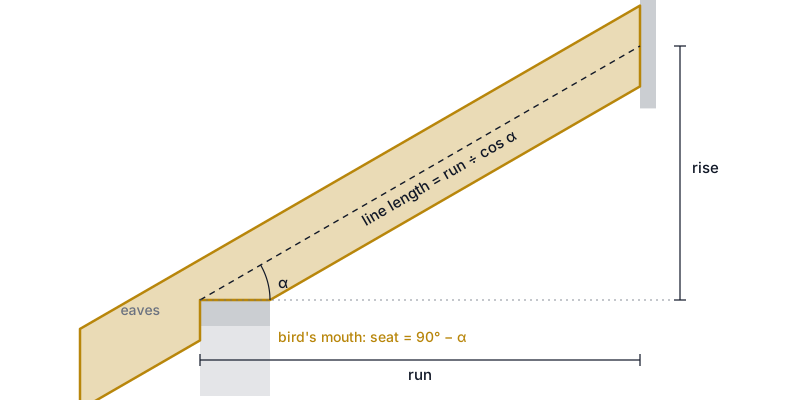
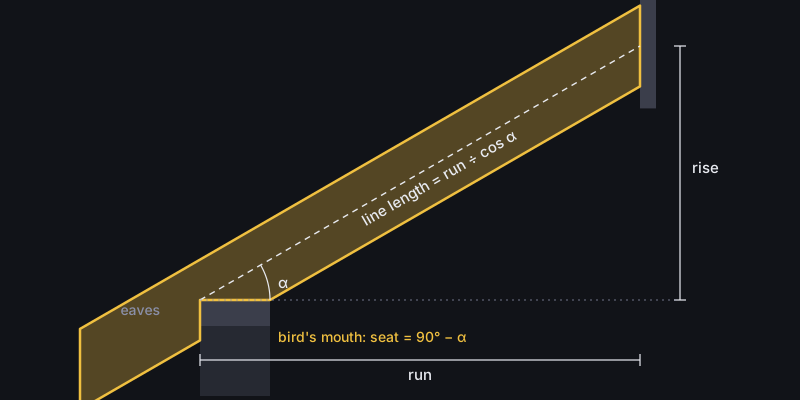
Enter span, pitch and overhang: get the rafter length to cut, plumb and seat cut angles, the bird's mouth and an optimized lumber list.
Expert guides
Tips, techniques, and best practices for cutting optimization.
Exploded View Drawing for Furniture: Cut List to Assembly
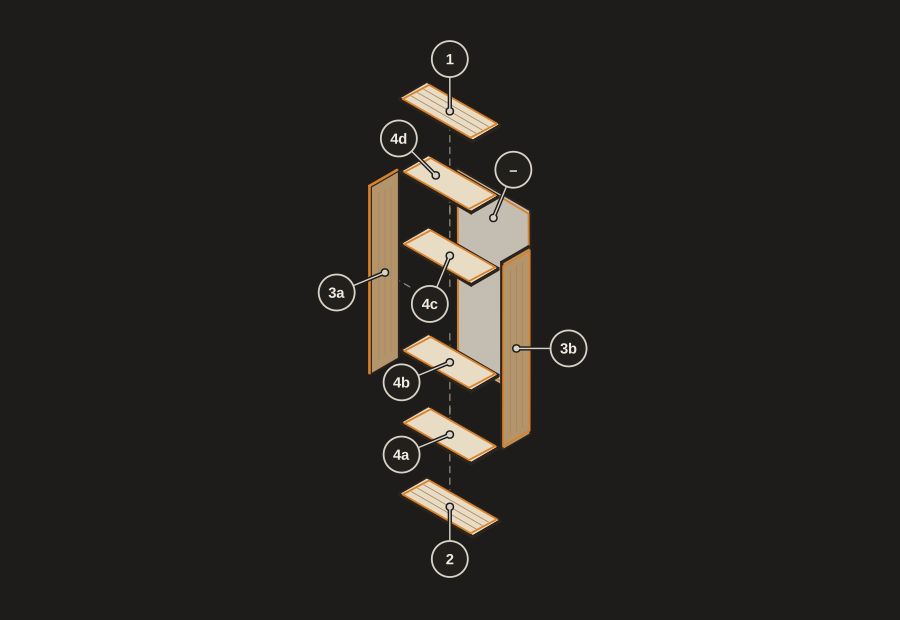
Make an exploded view of a cabinet or shelf from your cut list: numbered parts, place letters, build steps, a model check and a printable Build Pack.
Grain Matching Cabinet Doors and Drawer Fronts
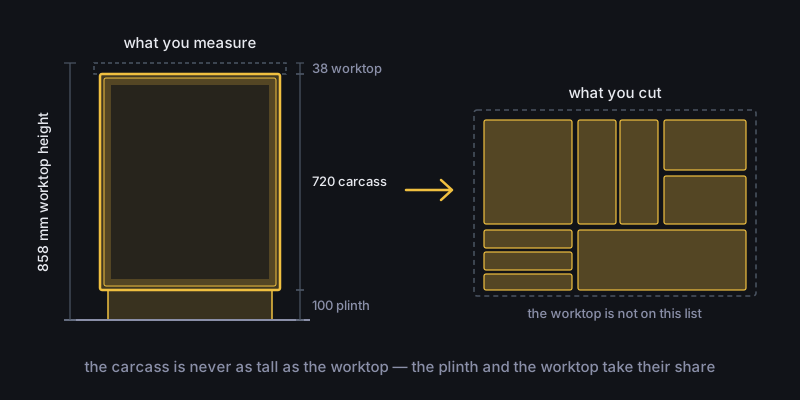
Grain matching cuts a drawer front and the doors under it from one stretch of board, so the figure runs on across the cabinet. Here is how to set it up.
How to Label Furniture Parts for Assembly
Label furniture parts at the saw so assembly goes fast: number and place letter, where the part goes, drilling, work stages and a QR code for the phone.
What is cutting optimization?
Cutting optimization is the process of arranging parts on stock material — panels, boards or bars — so the cutting plan uses the fewest sheets and leaves the least waste. CutOptim does this automatically with guillotine-compatible cutting plans (every cut runs edge to edge, so the layout is cuttable on a panel saw). How much you get out of a sheet depends on the piece mix, the stock sizes and the kerf — our open benchmarks show how close the plans come to the theoretical minimum.
- Kerf
- The width of material removed by the blade on each cut. A 3–4 mm kerf is typical for a circular saw; CutOptim subtracts it from every cut so the plan stays accurate.
- Yield (material utilization)
- The share of purchased material that ends up in finished parts. Higher yield means less waste. What is achievable depends entirely on the job, so we measure against the theoretical minimum rather than quote a typical figure — the benchmarks page shows every job we tested.
- Guillotine cut
- A straight, edge-to-edge cut that crosses the whole panel — the only kind a panel saw can make. CutOptim’s 2D algorithm produces guillotine-compatible plans.
- Nesting
- Placing parts on a sheet to fit as many as possible while minimizing the gaps between them. For rectangular parts this is the core of 2D cutting optimization.
- Offcut
- A usable leftover piece large enough to reuse on a later job. CutOptim can track offcuts and feed them back into future cutting plans.
Questions & answers
Can I pay once instead of subscribing?
Is CutOptim free?
Do I need to register?
What materials does it support?
How accurate is the algorithm?
How do I export the cutting plan?
Do you have an API?
What are the 30-day guarantee terms?
Does it work on Mac and mobile?
Is my data stored on a server?
Your first cutting plan
ready in 30 seconds.
No registration, no credit card, no installation. Give it a try — come back if it helps.
2 free runs without an account, then 3 a month with a free account