Cut List Optimizer — Free, No Signup, Instant Cutting Plans
Free online cut list optimizer — no signup, nothing to install. Enter parts and stock, get cutting diagrams that minimize waste, export to PDF or CSV.
Updated: March 1, 2026
Free to use — no signup required
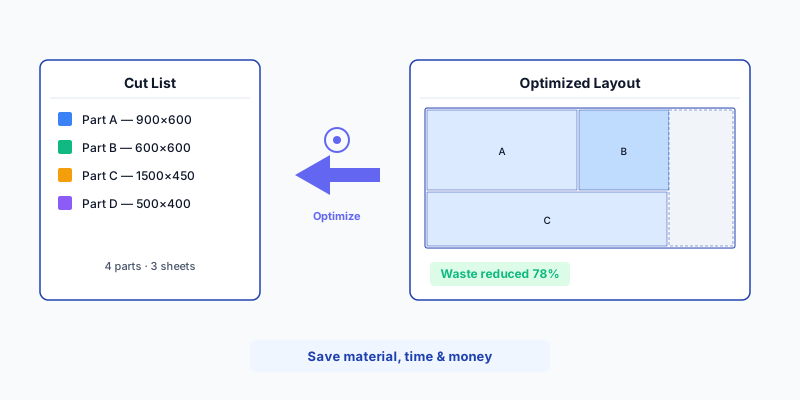
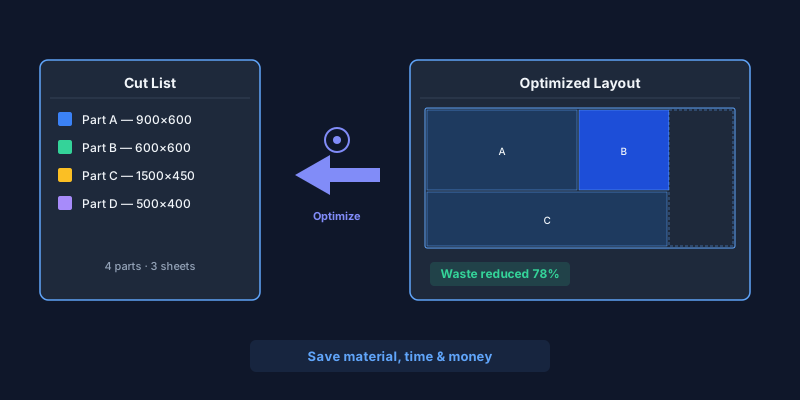
Stop Wasting Material — Let an Algorithm Do the Math
Every furniture workshop knows the frustration: you draw up a cut list for a kitchen with 120 parts, grab a pencil, and start sketching layouts on the back of a delivery note. An hour later you think it fits on 14 sheets — then you discover one part was forgotten and you need a 15th. The offcut bin overflows, the material bill creeps up, and the margin you quoted to the client shrinks.
A cut list optimizer — also written cutlist optimizer — eliminates that entire process. You paste your parts — names, widths, heights, quantities — choose your stock sheet sizes, and the nesting algorithm returns a labeled cutting diagram (often called a cut sheet) in seconds. No pencil, no guesswork, no wasted sheets.
CutOptim is a free online cut list optimizer built for professional woodworkers and DIY builders alike. It handles hundreds of parts, multiple board sizes, blade kerf deduction, grain direction constraints, and exports production-ready PDF diagrams you can hand to the saw operator.
No signup required. Run 2 free optimizations as a guest — right now, in the calculator above. See the result before you commit to anything.
How Much Material Can You Save?
Workshops that switch from hand-planned layouts to algorithmic optimization consistently save 10–25 % on material costs. On a medium kitchen project using 15 sheets of melamine chipboard at €45 each, that is €70–170 saved per project — and the savings compound across every job, every month.
waste reduction
| Manual planning | CutOptim optimizer | |
|---|---|---|
| Planning time | 30–60 min per project | Under 10 seconds |
| Typical waste | 25–35 % | 5–10 % |
| Missed parts | Common (hand errors) | Impossible (all parts listed) |
| Labeled diagrams | Sketches on paper | PDF with part labels & IDs |
| CNC-ready export | Not available | DXF file included |
| Reusable for repeat jobs | Start over each time | Save & reload projects |
| Cost | Your time | Free (2 cuts) · Pro from 9 €/mo |
How to Optimize Your Cut List — Step by Step
Paste or type your parts list
Enter each part with its name, width, height, and quantity. Working from a spreadsheet? Copy the rows from Excel or Google Sheets and paste directly — CutOptim auto-parses tab-separated and CSV data. No reformatting needed.
Choose your stock sheet sizes
Add one or more stock sheet dimensions from your supplier. Common EU sizes: 2800 × 2070 mm (Egger, Kronospan) and 2440 × 1220 mm. Got leftover offcuts? Add them as extra stock — the optimizer uses smaller pieces first.
Set blade kerf and grain direction
Enter your saw blade kerf (3 mm for a standard panel saw, 0 mm for CNC with compensation). For veneered or patterned boards, enable grain-lock on visible parts so the face pattern stays consistent.
Click Optimize and review
The algorithm arranges every part across the minimum number of sheets. Each piece is labeled on the visual diagram. Review waste percentage, total sheet count, and the cut sequence.
Export for the workshop
Download a PDF with labeled cutting diagrams (Pro: add your company logo), a CSV summary for costing, or a DXF file for direct CNC import. Print it, hand it to the saw operator, done.
Have a cut list ready? Try it now — no signup.
Open OptimizerStandard EU Sheet Sizes — Quick Reference
Not sure which stock size to enter? Here are the most common panels available from European suppliers:
Material Presets
EU| Material | Standard Sizes |
|---|---|
| Melamine chipboard (Egger, Kronospan) | 2800 × 2070 mm2620 × 2070 mm2440 × 1830 mm |
| MDF / HDF | 2800 × 2070 mm2440 × 1220 mm2440 × 1830 mm |
| Birch plywood | 2500 × 1250 mm2440 × 1220 mm1525 × 1525 mm |
| OSB (structural) | 2500 × 1250 mm2440 × 1220 mm |
| Solid wood panel (beech, oak) | 2500 × 1250 mm4000 × 600 mm4000 × 800 mm |
Technical Specifications
Who Uses a Cut List Optimizer?
Cabinet makers and kitchen fitters
A standard kitchen has 15–30 cabinet boxes — each box needs a top, bottom, two sides, a back, and often a shelf. That is 100–180 parts from melamine or plywood. Without optimization, workshops buy 2–3 extra sheets “just in case” and throw away the surplus later. With CutOptim, you know the exact count before you place the material order. Parts from two concurrent projects can even share sheets when schedules allow, squeezing every square centimetre out of your stock.
Furniture manufacturers and batch producers
Desks, bookcases, wardrobes — batch production means repeating dimensions. The optimizer groups identical parts and rotates them for the tightest fit, often saving a full sheet on every 10-unit batch. Save the project file, and when the next order comes in, reload it, adjust quantities, re-optimize — done in under a minute.
Shopfitters and exhibition builders
Tight deadlines and premium materials (acrylic-faced MDF, fire-rated panels at €80+/sheet) make waste reduction critical. Import the cut list from your CAD export, optimize, and send the labeled PDF to the CNC operator. No back-and-forth, no ambiguity.
DIY builders and home renovators
Even a single built-in wardrobe with 15 parts benefits from optimization. The cutting diagram tells you exactly how many sheets to buy before you drive to the hardware store — preventing the dreaded second trip for “one more board.”
Pro Tips for Better Cut List Results
Always separate by material and thickness. Run one optimization for 18 mm white melamine, another for 12 mm birch plywood, and a third for 6 mm HDF backs. Mixing materials in one run produces confusing diagrams and causes mistakes at the saw.
Do not forget blade kerf. A standard panel-saw blade removes 3 mm per cut. Omitting kerf means the optimizer thinks it has more space than it does — the last part on the sheet will not fit. Measure your blade kerf with calipers if you are unsure.
- Include edge banding allowance. If parts receive 0.5 mm or 2 mm edge tape, add the tape thickness to the dimensions before optimizing. This ensures the finished size is correct after banding.
- Add leftover offcuts as stock. Enter usable offcuts from previous jobs as extra stock sheets. The optimizer uses smaller pieces first, clearing your offcut rack and saving full sheets.
- Save your projects. Free account holders can save and reload projects. When a client changes quantities or you need to recut a damaged part, just update the list and re-run — no re-entry needed.
- Use labels consistently. Name your parts clearly (e.g., “Cab-01 Left Side”, “Cab-01 Shelf”). The labels appear on the PDF cutting diagram and make assembly straightforward.
Free vs. Pro — What Do You Get?
| Feature | Guest (no account) | Free account | Pro |
|---|---|---|---|
| Optimizations | 2 total | 3 per month | Unlimited |
| PDF export | ✓ | ✓ | ✓ with company logo |
| CSV export | ✓ | ✓ | ✓ |
| DXF export (CNC) | — | — | ✓ |
| Save projects | — | ✓ | ✓ |
| Price | Free | Free | 9 € / month |
Your cut list is waiting. Optimize it now — for free.
No signup required for your first 2 optimizations
Open Cut List Optimizer