Best Free Cut List Software in 2026: Top Tools Compared
Quick answer
The best free cut list software depends on what you cut. CutOptim is the strongest all-rounder — panels, bars and lumber in one browser tool, with a published benchmark behind its numbers. CutList Optimizer allows the most free runs, five a day, but handles sheet goods only. OpenCutList fits SketchUp users.
Picking a cut list optimizer shouldn’t require a research project, but here we are — dozens of tools across the G2 Cutting Software category, vague feature lists, and “free” labels that mean wildly different things. We compared five popular options: a 12-part bookshelf from 4×8 ft (1220×2440 mm) plywood and a 28-part kitchen cabinet set across three sheet sizes. Below is what we found, ranked by overall usefulness for someone who doesn’t want to pay unless they have to.
This comparison covers free tiers and free tools only. We evaluated each option on ease of use, optimization quality (yield percentage on identical inputs), export options, and limitations that might push you toward a paid upgrade.
How We Ranked These Tools
Every tool received the same two test jobs with identical part lists, stock sizes, and a 3.2 mm kerf setting (where supported). We scored four criteria equally:
- Ease of use — How fast can a first-time user go from zero to optimized layout?
- Optimization quality — Yield percentage and sheet count on identical inputs.
- Export and output — PDF cut diagrams, DXF/SVG for CNC, labels, cut sequences.
- Free tier limits — How much can you actually do without paying?
1. CutOptim — Best Overall Free Option
CutOptim is a browser-based optimizer that handles both 1D (linear) and 2D (panel) cutting. The free tier allows 3 optimizations per month with no limit on how many parts a job contains, so you can run a real project end to end — a full kitchen, a run of handrail, a set of shelves — rather than a cut-down sample.
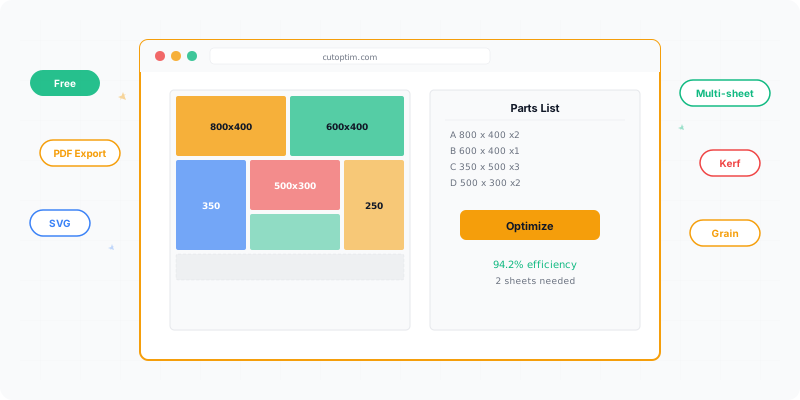
On our 12-part bookshelf test, CutOptim returned 91.4% yield across two sheets with a clear visual layout and numbered parts. The interface takes about two minutes to learn: enter stock sizes, list parts, set kerf, click optimize.
Where it stands out: kerf is a first-class setting (not buried in advanced options), the visual layout is easy to read, and it runs in any browser with no install. It also supports grain direction for veneered panels — you can lock rotation per part on the free tier.
Four things here have no equivalent elsewhere in this list:
- Panels, bars and lumber in one tool. Every other option on this page optimizes sheets only. CutOptim has three modes — 2D panel, 1D linear (bar, tube, profile, rebar) and a wood mode that groups by cross-section — so a job with plywood carcasses and a run of 50×100 framing doesn’t need two programs.
- Furniture templates. Four templates (wardrobe, shelf unit, base cabinet, TV stand) generate the whole part list from the outside dimensions, including the
inner = height − 2 × thicknessarithmetic that people get wrong by one board thickness. They’re free on every tier. - A shareable result link. A finished plan gets its own URL you can send to a shop, a client or your own phone. Nothing to install and no account needed at the other end.
- A published benchmark, not a claim. Our benchmark page lists 1,259 public test jobs one by one, including the academic instances where the optimum is known. On those, 87.5 % of panel jobs (484 of 553) land on the theoretical lower bound or within a single sheet of it, and 100 % of bar jobs (134 of 134) finish within 5 % of the minimum possible length. The raw results are downloadable under CC BY 4.0. No other tool in this comparison publishes anything you can check.
Where it falls short on the free tier: three optimizations a month go quickly if you iterate on a design. Every feature is included on the free tier — CNC export (DXF/SVG), the edge banding calculator, the inventories, cost mode and the rest — so the only thing Pro adds is unlimited runs. If you’re a hobbyist building one project at a time, the free tier is genuinely sufficient. Production shops running several jobs a week will hit the monthly limit and should evaluate the paid plans.
2. CutList Optimizer — Most Generous Free Tier
CutList Optimizer is the best-known browser-based panel optimizer, with a companion Android app. If your work is entirely sheet goods and you optimize several times a week, its free tier is the most generous here by a wide margin: 5 calculations per day (roughly 150 a month) against CutOptim’s 3 a month. Credit where it’s due — for a hobbyist iterating on one design over a weekend, that difference is the whole ballgame.
The feature set is mature. Kerf thickness, edge banding, grain direction, per-material grouping and panel labels are all in the free options panel, and you can steer the algorithm with an optimization priority (least wasted area, fewest cuts, or smaller stock sheets first) and a preferred cut direction. Units go from millimetres through fractional inches to decimal feet and inches, and the interface ships in 17 languages. Results include used area, wasted area, total cuts and total cut length.
Where it stops: it is a panel optimizer and only a panel optimizer. Every input is a length × width rectangle; there is no linear, bar or lumber mode. If your project mixes sheet goods with framing timber, tube or profile, this tool covers half of it. Exports are PDF and image only — no CSV, no spreadsheet, and no DXF or SVG, so there is nothing to hand a CNC operator. Saved items are capped at 5 on the free tier, and paid plans run $15/month (Silver) or $25/month (Gold), with a $4.90 one-time option that unlocks Silver features for three days.
Feature coverage above was checked against the live product on 9 August 2026 rather than re-running our two test jobs, so this entry deliberately carries no yield figure — we would rather leave a cell blank than publish a number we did not measure.
3. OpenCutList (SketchUp Plugin)
OpenCutList is a free, open-source plugin for SketchUp. If you already model your projects in SketchUp, this is a strong choice because it pulls part dimensions directly from your 3D model — no re-entering measurements.
It generated a clean layout on our bookshelf test with 89.7% yield. The optimization algorithm is solid for guillotine cuts (straight, edge-to-edge). It supports kerf, edge banding, and grain direction. The cut diagrams are printable and well-labeled.
The catch: you need SketchUp installed (the free web version works, but the plugin runs best on the desktop edition). If you don’t use SketchUp, OpenCutList isn’t practical — there’s no standalone mode. It also doesn’t support 1D (linear) optimization, so bar/molding cuts require a separate tool. No CNC export.
4. Cutlist+ (iOS)
Cutlist+ is a mobile app for iOS that focuses on simplicity. You tap in parts, select stock sizes from presets (US lumber dimensions are built in), and get a cut diagram on your phone screen.
On the bookshelf test it produced a workable layout at 87.2% yield — lower than the others, partly because its algorithm doesn’t explore as many arrangements. It’s fast, though. From app launch to result took under 90 seconds.
Best for: quick estimates on the job site or at the lumber yard. You can check how many sheets to buy before loading the truck. It handles metric and imperial units and saves recent jobs.
Limitations: no desktop version, no CNC export, no edge banding, limited to guillotine cuts. The optimization algorithm is simpler than dedicated desktop or web tools, so yield on complex jobs tends to run 2–5% lower.
5. Excel / Google Sheets Templates
Spreadsheet templates aren’t optimizers — they’re calculators. Unlike tools that implement bin packing algorithms, you manually arrange parts and the spreadsheet tracks remaining material. Several free templates circulate online with varying quality.
When they work: if you have fewer than 8–10 parts and one stock size, manually placing rectangles in a spreadsheet is sometimes faster than learning new software. It’s also fully customizable — you control every formula.
When they don’t: anything beyond a trivial job. Spreadsheets can’t algorithmically test thousands of arrangements. On our 28-part cabinet test, manual spreadsheet layout took 45 minutes and produced 78% yield. CutOptim found 93.1% yield in 3 seconds. The gap grows with complexity.
| Feature | CutOptim | CutList Optimizer | OpenCutList | Cutlist+ | Excel / Sheets |
|---|---|---|---|---|---|
| Platform | Browser (any device) | Browser + Android | SketchUp plugin | iOS app | Desktop / browser |
| 2D panel optimization | Yes | Yes | Yes | Yes (basic) | Manual only |
| 1D bar / lumber optimization | Yes | No | No | No | Manual only |
| Furniture templates | Yes (4, free) | No | No | No | No |
| Kerf setting | Yes (adjustable) | Yes | Yes | Limited | Manual formula |
| Grain direction | Yes | Yes | Yes | No | No |
| Edge banding | Yes | Yes | Yes | No | No |
| CNC export (DXF/SVG) | Yes | No | No | No | No |
| Spreadsheet export (CSV/XLSX) | Yes | No | No | No | Native |
| Shareable result link | Yes | No | No | No | No |
| Published benchmark data | 1,259 public jobs | Not published | Not published | Not published | n/a |
| Free tier limit | 3 jobs/month, unlimited parts | 5 jobs/day, unlimited parts | Unlimited | Unlimited | Unlimited |
| Paid plan | €9/month | $15–25/month | Free | Free | Free |
| Yield (12-part test) | 91.4% | Not run | 89.7% | 87.2% | ~78% (manual) |
Which Should You Choose?
Start with CutOptim if your work isn’t only sheets. It is the only tool here that optimizes panels, bars and lumber, starts you from a furniture template instead of a blank table, hands you a link you can send to the shop, and publishes the benchmark behind its own claims. The free tier handles most hobby and small-shop jobs.
Choose CutList Optimizer if you cut sheet goods and nothing else, and you want the most free runs. Five calculations a day beats three a month, and the panel feature set is complete. You’ll need a second tool the day a job includes framing timber or profile, and a different one again if anyone asks for a DXF.
Choose OpenCutList if you already design in SketchUp and want automatic part extraction from your 3D models. It’s a natural fit for that workflow.
Grab Cutlist+ if you need a quick sheet count estimate on your phone at the lumber yard. Don’t rely on it for production optimization.
Stick with spreadsheets only if your jobs are trivially small (under 8 parts, one stock size) or you need a format that integrates with existing business spreadsheets.
Test any optimizer on a real past project where you know the outcome. Compare the software’s yield against what you actually achieved. That tells you more than any feature list.
When Does a Free Tool Stop Being Enough?
Usually not because the optimization is worse, but because the work around it starts costing more than the licence would.
Free tiers rarely differ from paid ones in how well they pack a sheet — the same algorithm runs either way. What they limit is everything that makes the result reusable: how often you can run it, whether the job survives closing the tab, what you can hand to somebody else, and whether the offcut you kept last month is still known to the software.
| What starts to hurt | Why free tiers limit it | When it actually matters |
|---|---|---|
| How many jobs per month | Runs are the cheapest thing to meter | Once you are quoting, not just building |
| Saved projects | Storage is a real cost per user | When a job comes back for a revision |
| Export formats | PDF is cheap, DXF and spreadsheets are integrations | When somebody else has to machine the parts |
| Offcut tracking | It needs an account and a database, not a browser tab | When the leftovers are worth more than the licence |
| Edge banding totals | It is costing, not geometry | When you are pricing a job rather than cutting one |
The honest test is not which features are locked but which of them you have already worked around this month. Re-entering the same cabinet three times because the tab closed is a cost; exporting a PDF and retyping it into a quote is a cost. If neither has happened, the free tier is doing its job.
For reference on the tool this site publishes: every feature is included on every plan, including the free tier — saved projects, offcut inventory, and all export formats. The free tier is metered only by optimizations per month (three) and puts no limit on the number of parts in a job, so an entire kitchen can be planned on it; the paid plan simply removes the monthly run cap.
See how your cut list performs with real optimization.
No install, no account required for basic use.
Try CutOptim Free