Tile Calculator — Layout, Cut Pieces & Boxes
Tile calculator for a floor or a wall: lays your tile in its pattern, numbers every cut, shows where the first row starts and how many boxes to buy.
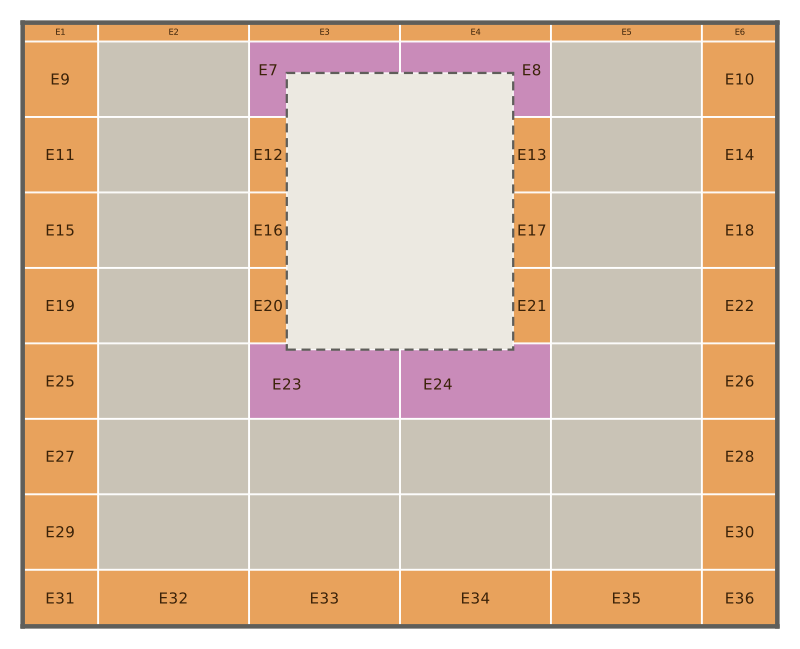
Square footage tells you roughly how many tiles to buy. It does not tell you that the last row along the wall will be a 1 in sliver, that the joint will miss the window sill by half a tile, or that a box holds 8 tiles and not 10. That is the gap between a quantity and a tile layout.
This tile calculator lays your tile in its pattern on your floor or wall, numbers every cut piece, shows which tile it is cut from and where the first row starts, and turns it into an order list in boxes.
The example on load is a 10 × 8 ft floor with a catalogue tile, Daltile Vertuo 12 × 24 in (real size 594.4 × 295.6 mm, ⅛ in joint from the datasheet), in a ⅓ running bond along the edge with a 3 mm saw cut. Result: 28 whole tiles and 26 cut pieces, cut from 20 tiles — 48 tiles to buy, 13.3 % waste, 6 boxes (90.7 sq ft). The first full row’s lower edge is 6.9 in from the bottom edge, the first cross joint 12.9 in from the left edge. The narrowest cut piece is 5 in (128 mm) wide.
How do you use the tile calculator?
Pick floor or wall
A floor as a rectangle or an L-shape, with a perimeter gap if you leave one at the walls. A wall by its width and tiled height; windows, a door, or a bath or shower tray go in as openings with their size and position. The outline is drawn with its dimensions while you type.
Pick the tile
Market and product: the real size, the minimum joint and the box contents come from the manufacturer’s datasheet, with the date we read it. Or enter your own tile length, width and joint, and the pieces per box if you know them.
Pick the pattern
Straight, running bond (½, ⅓ or ¼ offset), herringbone or basket weave, along the edge or at 45°. Add your saw cut and, if you want one, a smallest cut piece and a breakage reserve. On a wall you can fix the start-row height and put a joint, or the middle of a tile, on the centre line of the wall or a window.
Read the plan and order
Press Calculate. The plan shows every cut piece with its number; “Which piece comes from which tile” shows the cuts on each tile; below come the setting-out marks, the order list and a CSV export.
Herringbone tile: why the waste is not a fixed percentage
Herringbone ends almost every tile at an angle along a straight wall, so the edges fill with triangles and trapezoids. A flat percentage on top is a guess. The calculator draws each of these pieces, checks which two can come out of one tile, and gives the waste that follows for your room — on the example floor 18.4 % for a 45° herringbone against 13.3 % for the ⅓ running bond.
Herringbone and basket weave also need the tile’s length to be a whole multiple of its width including the joint. A 12 × 24 tile is rarely exactly twice as long as it is wide, so the calculator sets the long grid to 2 × (width + joint) and tells you how wide the end joints become. If a tile cannot do that, it says so instead of laying a pattern that does not close.
How does the calculator lay the tiles?
On the real size plus your joint. The format name (12 × 24, 60 × 60) is a label; the datasheet’s real size is what lies on the floor. The layout grid is that size plus the joint, so the cuts and the counts match what you will lay.
From the best start point. Where the pattern starts decides how the edges are cut. The calculator tries a fixed set of start points — joint or tile centred on the middle of the surface, aligned to a corner, and a grid across one pattern repeat — and ranks them in this order:
- the fewest pieces narrower than your smallest cut piece, if you entered one;
- the fewest strips and pieces too narrow to cut (under 10 mm);
- opposite edges cut alike;
- the fewest edge pieces under two thirds of a tile;
- the fewest tiles.
These are preferences, not guarantees: when no start point avoids a narrow piece, the best one keeps it, and the result lists the narrowest pieces. On a wall the floor line, the top edge, the window sill and the lintel are all edges, so the rows are judged against each of them. The same input always gives the same plan.
Centring. For straight and running-bond patterns you can fix the start across the wall: a joint, or the middle of a tile, lands exactly on the centre line of the wall or of a window. For herringbone and 45° layouts there are no straight joint lines to place; there the calculator balances the cuts on both sides of the line instead.
Setting out. For straight and running-bond patterns the result gives two marks to start from: the height of the first full row’s bottom edge and the place of the first vertical joint. Enter a height of your own if you want a joint on the sill line.
Which tile does each cut piece come from?
Most edge pieces do not need a tile of their own.
- Rectangular pieces — along an edge parallel to the pattern — are packed onto whole tiles like parts on a sheet, with your saw cut between them.
- Angled pieces — herringbone or 45° layouts at a straight edge — take one straight cut. Two of them share a tile when both fit with the saw cut between them; the calculator checks this exactly.
- Everything else — a piece cut twice or around a corner — gets its own tile, and the calculator says how many.
Boxes and the order list
Tiles are sold by the box. The order list rounds the tile count, plus your breakage reserve, up to whole boxes and gives the area you actually buy. Pallets and weight appear only when the manufacturer’s datasheet states them; a value the datasheet does not give has no row. For a tile whose datasheet limits the running-bond offset — Daltile prints 33 % for its tiles 15 in and longer — the calculator warns when your offset is larger.
The calculator invents no size. If a datasheet gives no minimum joint, it asks for yours. A generic format name is a name, not a measurement: for an exact plan, enter the real size from the box as your own tile.
Which standards apply?
The calculator plans the tile layout. Substrate, setting materials, joints and movement joints are set by the installation standards and the manufacturer’s instructions; we name them and do not copy them.
- US: ANSI A108 / A118 / A136.1 (installation and setting materials) and ANSI A137.1:2022 (tile), published through TCNA, and the TCNA Handbook.
- UK: BS 5385 (wall and floor tiling), parts 1 to 4.
- Tile sizes: ISO 13006:2018 and EN 14411:2016 define the format and the real (work) size.
- The installation instructions of the manufacturer for the tile you choose.
The calculator does not check the substrate, the setting bed or movement joints. Which build-up suits your room, and where movement joints go, is for the manufacturer or your tiler to decide.
Common mistakes
Counting from the format name. A 12 × 24 tile is not 12 × 24 in. Planning with the name drifts the joints by a few millimetres per row, and on a long wall that is a visible step at the end.
Starting with a whole tile in the corner. The corner looks clean, the opposite wall gets a thin strip. Shift the start so both edges are cut alike.
Using one waste figure for every pattern. Straight, running bond and herringbone cut the same room differently. Lay the pattern you will use, then add your own breakage reserve on top.
Ordering loose tiles. Tiles come in boxes and boxes from production batches. Round up to whole boxes and buy them from one batch, so the shade matches.
When is the calculator not the right tool?
When the room has curves — the outline has straight sides only. When you want hexagons, chevron or mosaic sheets, which are not covered yet. When you want the whole bathroom in one plan: this page plans one floor or one wall at a time. And whenever the question is the substrate or the waterproofing — that is for the standards and the manufacturer, not a layout.