TV Stand Cut List Calculator — Outer Sizes to Parts
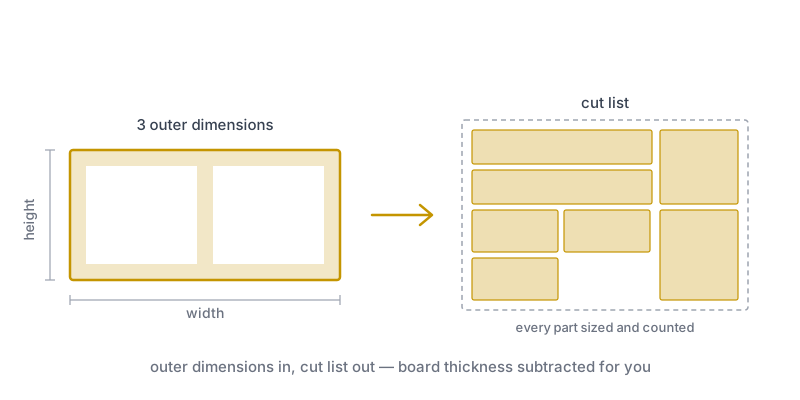
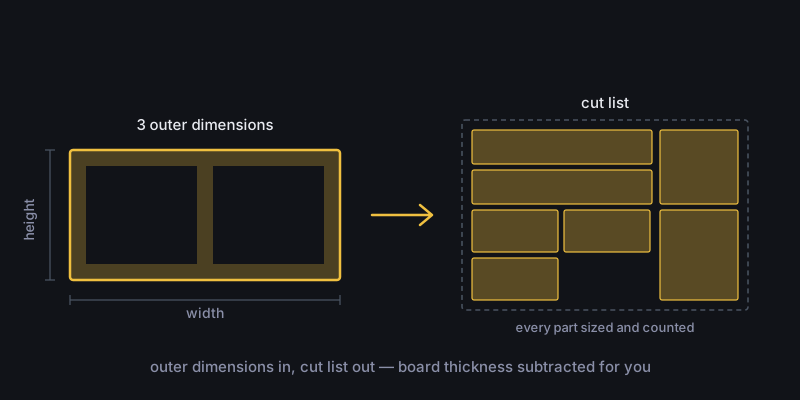
Enter the three outer dimensions of a TV stand and get the exact cut list: every part with its size, quantity and grain direction.
The most common mistake in home furniture building does not happen at the saw. It happens on the notepad. You measure the alcove: 1600 mm wide, 450 mm of height available. You send the cutting service an order for two sides at 450 mm — and when you assemble it, the finished unit stands 486 mm tall, because the 18 mm top and bottom sit on top of those sides. It will not go into the alcove. The board is already cut, edged and paid for.
A cut list is the list that translates a piece of furniture’s outer dimensions into the sizes of the parts you actually cut. The difference is board thickness: every part that sits between two other boards is shorter by exactly what those boards take away. This calculator does that subtraction for you and returns the size, quantity and grain direction of every part.
The default is a 1600 × 450 × 400 mm TV stand with one divider. Drag the height slider and watch the side dimension in the table: always two board thicknesses less than the height you set.
How do you use this calculator?
Four steps, and the output goes straight to the cutting service or into the optimizer.
Pick the piece of furniture
TV stand, bookshelf or wardrobe. All three use the same carcass logic: the top and bottom run the full width and the sides fit between them.
Enter the three outer dimensions
Width, height, depth — exactly the three numbers you measure against the space. The calculator subtracts the board thickness for you.
Set the internal layout
Dividers, shelves, drawer fronts or doors. Compartment width and front height are recalculated at every step and rounded down into the opening.
Take it to the optimizer
Download the CSV and import it into the app, or open the app directly. How many sheets you actually need, and in what layout, is the optimizer’s answer.
What construction does the calculator assume?
One carcass model, applied consistently throughout: the top and bottom run the full outer width, and the sides and dividers fit between them.
Two formulas follow from that, and they govern the whole list. Side height is the outer height minus two board thicknesses. Dividers are the same height, and the compartments between them share the clear width after the dividers have taken their own thickness out of it.
On a 1600 mm carcass built from 18 mm board the clear width is 1564 mm. One divider leaves two compartments of (1564 − 18) / 2 = 773 mm each. Two dividers give three compartments of 509 mm each — which is exactly what you see recalculate as you move the slider.
This model is not the only correct one. Some builders run the sides full height and fit the top between them, which swaps the two dimensions around. If your cutting service or your hardware calls for the other construction, the list has to be converted accordingly.
Why is doing it in your head not enough?
Because the subtractions chain, and every setting changes all the dimensions after it.
An open shelf is still easy: one subtraction, two numbers. Add a divider and compartment width already depends on three inputs. Add a drawer front and its height follows from the compartment opening and the reveals, while its quantity follows from the number of compartments. On a wardrobe the door size depends on four parameters at once.
The calculator keeps that chain consistent. Pull the height from 450 to 500 mm and the side, the divider, the drawer fronts and the door all follow together.
What do fixed and free grain mean?
Fixed grain means the optimizer may not rotate the part by 90 degrees, because the board’s decor is visible on it.
The top, the sides, the drawer fronts and the doors are the faces you see. Board decor runs in one direction; cut such a part rotated and the grain visibly crosses its neighbour. In the table these are marked fixed.
Shelves and dividers sit largely out of sight, so rotation there is free — and that is not a detail: rotatable parts measurably improve yield, because the optimizer can fill leftover areas more freely.
| Part | Visible? | Grain | Why |
|---|---|---|---|
| Top | Yes, from above | Fixed | The most visible surface |
| Side | Yes, from the side | Fixed | The grain has to run vertically |
| Drawer front, door | Yes, from the front | Fixed | Grain runs on next to each other |
| Shelf | Edge only, partly | Free | Hidden, allows better yield |
| Divider | Edge only | Free | Hidden, allows better yield |
| Back panel | No | Free | Separate material, faces backwards |
Common mistakes
Leaving out the board thickness. The example this article opened with: you have the side cut to the full outer height. Two 18 mm boards add 36 mm to the finished height and the piece no longer fits its space. The right figure is the height of the opening, not of the furniture.
Counting the back panel as carcass board. The back is 3–8 mm material, the carcass is 18 mm. In one list, both total area and sheet count come out wrong. That is why the calculator keeps it on its own row with its own thickness marked.
Drawer fronts without a reveal. Two stacked fronts need a gap between them and at the edges of the opening, or they will not open. The calculator leaves 3 mm at every edge and rounds the remainder down — rounded up, two fronts together would be wider than the opening.
Subtracting the kerf from the part size. The list holds finished sizes. The kerf is consumed inside the sheet, between the parts, which is the optimizer’s job. Subtract it in advance and every part comes out undersized.
When should you not use this?
When the piece is not a box built from sheet goods. A solid timber table with legs and aprons, a mortised frame, or a curved front is not a carcass — the model does not apply and the resulting list would be meaningless.
Nor is it the right tool when your parts list already exists and all you need is the layout on the sheets. That is where the board cutting calculator starts — it works from your own list.
The hardware boreholes are deliberately absent — they depend on the runner and hinge system you choose, which varies by manufacturer. Drawer boxes are optional: switch Drawer boxes on and enter your runner’s length and side gap, and the sides, front/back and bottom are added from those numbers rather than from a guessed default.
What happens in the optimizer?
The calculator tells you what to cut. The optimizer tells you how — and that is the more expensive question.
The widget’s sheet count divides total area by the area of one sheet. The carcass of a 1600 × 450 × 400 mm TV stand comes to 1.78 m², and a common 2800 × 2070 mm furniture board is 5.80 m² — so on paper one sheet is more than enough. In practice the parts do not fill the sheet without gaps, and every cut costs a kerf. The actual layout, the offcuts and the cutting sequence are what the optimizer computes, with your sheets and your kerf.